Raspberry Pi Pico 2 W Guide
Configuration
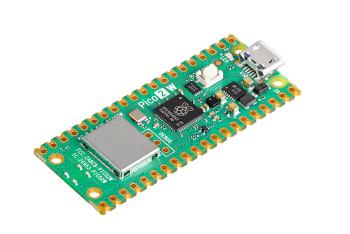 Raspberry Pi Pico 2 W
To be able to configure the Raspberry Pi Pico 2 W and use it without issues, we recommend following these steps:
- Install CircuitPython's latest version.
- Copy
code.pyas well as the foldersconfigandliband their contents via a USB connection:- To do so, connect the Raspberry Pi Pico 2 W to your computer with a USB cable.
- Copy the file
code.pyand the folderlibto the root of the Raspberry Pi Pico 2 W storage drive. - Copy the file
boot.pyfrom the folderconfigto the root of the Raspberry Pi Pico 2 W storage drive. - Modify the environment variables inside the file
settings.toml.examplefrom theconfigfile according to your necessities, and rename the file tosettings.toml. When you finished, copy the filesettings.tomlto the root of the Raspberry Pi Pico 2 W storage drive. - Reboot the Raspberry Pi Pico 2 W to make sure the changes take effect.
- If you need to change the code used in the Raspberry Pi Pico 2 W, we recommend using Thonny as a code editor, mainly because it focuses in microcontrollers with MicroPython or CircuitPython installed, while facilitating the use of external libraries.